๐จ๏ธ Elevate your office game with wide-format power and wireless freedom!
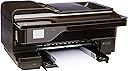
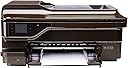
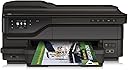
The HP OfficeJet 7612 is a versatile wide-format all-in-one inkjet printer designed for professionals needing high-quality color prints up to 13x19 inches. It supports wireless and mobile printing, automatic duplexing, and includes an automatic document feeder and touchscreen interface. ENERGY STAR 2.0 certified, it balances performance with eco-conscious features, using Original HP 932/933 ink cartridges for reliable, vivid output. Ideal for office environments requiring large-format printing, scanning, copying, and faxing in a single device.


| Additional Printer Functions | Copy |
| Asin | B00JOI5O8C |
| B W Pages Per Minute | 15 |
| Best Sellers Rank | #902,624 in Office Products (See Top 100 in Office Products) #162 in Wide Format & Plotter Printers |
| Brand | HP |
| Built In Media | Printer |
| Color | Black |
| Color Depth | 24 bits_per_pixel |
| Color Pages Per Minute | 8 |
| Compatible Cartridge | HP 932/933 |
| Compatible Devices | Laptops, PC |
| Control Method | Voice |
| Controller Type | Amazon Alexa, Vera |
| Customer Reviews | 3.6 3.6 out of 5 stars (370) 3.6 out of 5 stars |
| Display Type | LED |
| Duplex | Automatic |
| Eu Spare Part Availability Duration | 1 years |
| Global Trade Identification Number | 00888182658864 |
| Hardware Interface | Ethernet |
| Initial Page Print Time | [ESTIMATE] 10-30 seconds |
| Ink Color | Black |
| Item Weight | 38.8 pounds |
| Manufacturer | HP |
| Maximum Copies Per Run | 33 copies |
| Maximum Copy Resolution Black And White | 1200 dpi |
| Maximum Copy Resolution Color | 1200 dpi |
| Maximum Copy Speed Black And White | 33 pages_per_minute |
| Maximum Media Size | 13 x 19 inch |
| Maximum Print Resolution Black And White | 1200 dots_per_inch |
| Maximum Print Resolution Color | 1200 dpi |
| Maximum Sheet Capacity | 250 |
| Model Name | FBA_G1X85A#B1H |
| Model Number | 7612 |
| Model Series | G1X85A |
| Number Of Trays | 1 |
| Other Special Features Of The Product | Auto Document Feeder |
| Output Sheet Capacity | 250 |
| Paper Size | 11 inch x 17 inches, 13 inch x 19 inches |
| Print Media | Paper (plain) |
| Printer Connectivity Type | USB |
| Printer Output Type | Color |
| Printer Type | Inkjet |
| Resolution | 1200 |
| Scanner Type | Photo |
| Specific Uses For Product | Office |
| Total Usb Ports | 1 |
| Unit Count | 1 Count |
| Upc | 888182658864 |
| Warranty Type | limited warranty |
| Wattage | 27.7 watts |
User
The perfect do-all, wide-format printer for a graphics shop or home business -- at a very reasonable price..
Wow! The package deposited on my front porch by FedEx was really big, and heavy. It came double-boxed (display box by manufacturer inside of perfectly fitted plain brown shipping box.) Unpacking it, I never saw so many protective films and blue tabs to pull off. This thing was very well secured for shipping.The machine itself is significantly smaller and lighter than the box it came in, as the box had considerable cushion space inside. I think half the weight of the shipped package is in the boxes and packing. Still, the printer footprint itself is large enough to take up half a large desk top. I decided to put the boxes back together, turn them upside down, and use the box as a table for the printer. Sure, it is an ugly table, but it beats losing half a desktop or conference table. And I can always put a throw over the box to improve its appearance.I already have an HP OfficeJet 7000 wide format printer, which the 7612 will replace. The reason I upgraded was because the 7000 just prints, and I wanted the wide format scanner of the 7612. What I get in addition is a printer that does e-print, prints from my smart phone, prints from the cloud, prints over WiFi, and prints on the Ethernet -- all simultaneously - you don't have to set one and forego the others . And it also prints on both sides, has a document feeder. and also sends and receives faxes, though I seldom have need for fax anymore.The kicker for the purchase was the sale price -- near the same I paid for the 7000 -- which is one hell of a good deal, especially as the 7000 is two generations back.The 7612 also comes with the rear attachment to do duplex (both sides) printing automatically. That was an unexpected (and pleasant) surprise. No need to handle the paper manually anymore. it also comes with a starter set of ink cartridges - separate cartridge for each ink color --HP 932/932XL BlackHP 933/933XL YellowHP 933/933XL CyanHP 933/933XL MagentaThe ink is expensive, but not as expensive as some other brands. You get a reasonable supply for the price. The XL cartridge provides extra ink.Setup was fairly straightforward and easy, and the instructions are good. I don't think the professional setup option for an extra $50+ is necessary at all (but then I am an engineer and would never dream of calling in a technician :) ). Picking the printer off the floor and putting it on a table or desk is about the hardest thing you will have to do. I'm pushing 75, and it wasn't a struggle for me. Then you pop in all the things that are packed separately: the duplex attachment, and the paper trays, and you are almost done.Then plug the power pak into the printer, and the wall plug into a power source (I plug into my UPS surge protector outlet), an press the ON button. If you are on ethernet, then hook the printer up to your hub, and it can access the internet and upgrade its firmware automatically. If you are wireless, then you have a few more steps to go through first.Once you power it up, Swing the control display screen up so you can read it standing up, and it starts a self-diagnosis. Stand by it, because it is going to ask you some questions (I answered YES to all of them.) When it starts looking for the ink cartridges, swing the top up to access the inside, and the ink tray will come out of its nest and park so you can insert the cartridges. A little panel swings down so you load them. Pay attention to put the colors in the right slots. Swing the little panel back in place, close the machine.Put some paper in the feed tray, and it will then start a process of automatically aligning the printheads, and print out a test sheet. All the paper that the 7612 can print on fit completely in the expandable feeder tray. No need to hand-feed large paper stock. The only con is that you can only store one size paper at a time in the tray. But for the price you pay for the printer, that is a minor inconvenience, as you would have to pay several hundred dollars more for a printer with multiple feed trays.Now it is time to insert the enclosed CD into your PC and load in some drivers so your PC can access the printer. (I then go into my PC's control panel and set the printer as the default, as I have multiple printers to choose from.) If you are wireless, you will probably have to enter the password to your wireless network, so have it ready.Then print something to prove your done.A final word about HP --- Most of my computer related equipment is HP brand. I have had very good luck with HP. I am also reasonably close to an HP-authorized repair shop if need be for warranty service, or for the rare occurrence of an out-of-warranty repair, I recommend this product (if it meets your needs) and I would buy it again.EDIT: (3 FEb2018) Its going on two years now, and not one single problem with this machine. I remain very pleased with it.
User
HP OfficeJet 7612 Does Bad With Two Sided Printing
I bought this printer on July 1, 2016. It arrived on July 6, 2016. Today, August 23, 2016, Amazon is sending UPS to pick it up and take in back.This review is in three parts: Story, Good, and Bad.The Story is first. We have used another manufacturers printers for 20-25 years, but the current one after several years of service was dying. Since we had good experiences in the past with HP we decided to look at their product line and see if they had what we needed. We wanted to print Letter size to 11" x 17" posters. We wanted to print photographs of various sizes. We wanted to print on card stock or on Avery business cards. Our last printer was an all-in-one. We wanted to print, scan, and copy. Fax was not important. We had ADF and two sided automatic printing of printing, which is sometimes called duplex printing. The HP OfficeJet 7612 Wide Format All-In-One fit that list so I went to the store front of a national chain and ordered one for me to pickup. It arrived. I took it home. It would not turn on. HP Support agreed it was a problem and offered me two unsatisfactory time delaying solutions with one of them involving my credit card. I said no thank you and three hours after I picked it up, I returned it to the store front of a national chain for a full refund.I decided that since I was running out of ink on the old printer, I needed to new one fast. Lemons happen sometimes. HP was given the benefit of the doubt, and I ordered one from Amazon. With Amazon Prime, it came fast. It was unpacked quickly. It turned on. It was set up on our home wireless network quickly. It printed. Some problems were noted over the next week or two. They are covered under the Bad part. Eventually, it was determined that it could not be fixed, and HP offered to send me a refurbished, certified unit. I called Amazon, and they said it was still eligible for return for a full refund. I was done with HP OfficeJet 7612s. UPS is scheduled to pick it up today.What was good? It did print letter, legal, and 11x17 plain paper and did a good job on single sided printing. It printed on card stock and business card paper. It printed photographs. The quality across the board was good. It is big and heavy, but then it has to be if is going to print, scan, and copy large paper sizes. For just letter sized work and photographs up to 8x10, it is overkill. It was bought for the 11x17 so it had to be big.What was bad?It kept saying the printer was off line. It was not consistent. Sometimes it would be on line for days. Other times it went off line after each print job. If you have computers, iPads, and iPhones scattered across the house, walking over to he printer to turn if off and then on so it will be on-line does not cut it for a wireless printer. I looked at HP Support. I learned that a lot of people across a lot of printers have this problem. HP Support had a multi-page, multi-step generic printer how to handle tutorial. Obviously, HP has a problem. I finally Googled their 1-800 number because if it is on their website it is hidden. HP Support did a remote access to my computer. They went it to a device driver and hardcoded the printer's IP address in one of the screens. It eliminated the off line printer problem. Of course, if the wireless network or computer get reconfigured, this may fail again. Interestingly, this was only done to one computer, which is on most of the time. Other computers, iPads, and iPhones stopped encountering the off line printer problem. I do not know if the computer that had the hard coded IP address in it was turned off whether or not the off line printer problem would resurface.I noted that some times my margins when I printed were changed. I did an alignment. It helped in that the problem was know centered. If the margins were changed, it was like they were all changed the same amount. Using Google, I found that a lot of HP 7612 users were having margin problems. The fixes were workarounds and not fixes. HP Support did not seem to be doing very well with the problem. Finally, I saw someone say the margins were only changed when two sided printing was done. Sure enough, the margins were WYSIWYG when I printed a file single sided. When the same document was printed two sided or duplex, margins were increased roughly 25% and all text and pictures shrunk to fit in the remaining space. I Googled for the HP 1-800 number again. HP Support did remote access and looked at all sorts of things. They actually suggested in set narrower margins to compensate for the expansion. I pointed out that type would have to be set bigger as well. It was not a solution. I was not trying to get an immediate print job to print more or less usable. I was trying to make it WYSIWYG. I went through 3 different HP Support people. The first one dropped my call a minute into it. The second one hung in 1 1/2 hours. This person uninstalled the HP software and then reinstalled it. The restart after the reinstall collided with Microsoft Windows Updates in queue. She said she would call back in an hour. An hour and three quarters later I called and got a third person. After a while he said a case manager would get back to me. This was Friday night. Monday morning, the HP Support's Case Manager called. She did the remote access thing and basically repeated what other HP Support personnel had done. She said that the hardware had a problem. They would ship a certified printer to me. I said that I would talk to Amazon.Amazon deserves 5 stars. They are taking the printer back.I can not recommend the HP OfficeJet 7612 to anyone. The off line printer problem can be addressed, but it does look like a problem across their printer product line. The duplex printing is broken. Anyone who things it is a hardware problem may do so, but the data is going to the printer as electronics through the air. The printer is interpreting it and putting in on the page. It looks like software to me. I don't see how a new piece of hardware is going to fix what I believe to be bad software. Based on the information in their own forum, this problem is pretty bad. If you are printing single sided large pieces for the most part, you can live with it. If you are really multi-functional you can't.
User
Excellent value... I would give the product 7 or 8 stars if allowed
For me, this product does all it's supposed to do... so far. The hardest part of the startup process was getting the printer out of the box. Otherwise, the printer is a pleasure to use. It was easy to assemble because I followed the directions. I purchased it, specifically, to print on 19" x 13" paper. I don't anticipate using the fax, copier, or scan functions, but I may in the future.The last printer I purchased was an HP 4300, and it continues to perform well. But, it's limited to 8.5" paper width. In order to make larger origami models I needed a printer with larger capacity. This HP 7612 has that capacity.UPDATE, December 2, 2017: It has been 18 months since I started to use this printer. The price has gone up by $50, but it is worth it. Output continues to be very good, but, again, I use this machine as a printer... not a printing press. I have encountered 2 situations (not problems) which I have had to deal with. First, printing on thick, water color paper... I have to physically (but gently) force the paper through to catch the roller. This is to be expected since the paper is more than 5 or 6 sheets of normal copy paper. The output for this process is very good. Secondly, printing on both sides of the paper... I have encountered a couple of jams during this process, but, following directions, I have cleared the jams and finished the process successfully. Also, I have used the copying and scanning functions, without encountering any problems, by following the directions in the manual. Aside from the cost of the cartridges (I have purchased 3 sets, but have used only 2), this purchase has exceeded my expectations, and I would give the product 7 or 8 stars if allowed. However, 2 sets of cartridges represents this cost of the printer when I purchased it, so 5 stars seems appropriate.In conclusion, I would recommend this printer to anyone requiring Super B printing capability. But, follow the manual directions and don't use this machine as a printing press. I have considered using the less expensive cartridges (which are a third of the cost of HP cartridges), but have not done so... yet! And, I have not used any of the hacks that are suggested by other users of this machine.UPDATE Aug 7, 2019The printer continues to perform its functions. If I had to replace it, it would cost me $400 more than I paid for it. It has jammed, occasionally on 19 x 13" paper, but it is easy to unjam. Once or twice a year it won't accept wireless input. To remedy this, I shut off the printer and macAir and restart. Then it works. I continue to use this device as a printer... not a PRINTING PRESS. I'm on my 4th year of using it without any major problems.If I would have read all the negative reviews, I would not have purchased this printer. Nevertheless, I continue to be very satisfied with my purchase (even though I have paid for the printer in HP cartridges 3 or 4 times). Five stars continues to be a low ranking, in my opinion.UPDATE: April 6, 2020I am now getting ready to print my 2020-2021 (September to August) calendars I distribute to friends and businesses in my geographic area. The printer continues to function normally. A good friend made a cover for it so it continues to look as new as when it was purchased 5 years ago. The output continues to be excellent. I have to print about 300 calendars, but I print them 10 or 11 at a time. I continue to use HP cartridges, and I continue NOT to use the machine as a PRINTING PRESS. And, I am now comfortable giving this machine a 6 star rating.
User
This printer/scanner is great! I use it for illustration and graphic scans ...
This printer/scanner is great! I use it for illustration and graphic scans and prints, and it does a great job for the price. The wireless set up is a breeze and the quality of the scans is high. The prints are of good office quality (not art print quality).The unit is pretty huge though with the paper tray attachments on, it surprised me even though I knew the dimensions going in, it barely fit in my home office.However, I got the dreaded error "scanner failure: unable to print, scan or send fax" pretty early on, and even though I went through all the recommended steps to resolve the issue, I had to send back the item and reorder a new one, which is a hassle. I am hoping this was a fluke and that the new one, which is arriving this week, works well.From what I learned on forums and from the Amazon tech support, if you get that error, save yourself time and just send back the item.
User
Very Good Printer - Highly Recommended
This HP OfficeJet 7612 Wide Format All-in-One Photo Printer with Wireless & Mobile Printing is a very versatile large format printer and is a fantastic bargain if you can catch it on sale for under 200. I wanted a large format printer to make posters advertising upcoming events in our small business, and we have been thrilled with the professional looking results!The printer is very large and takes up a lot of desk space! This is well packaged and will take a few minutes to unbox and remove all of the protective material. The Quick Start Guide and Setup Wizard are easy to follow and allowed us to get this up and running in about a half hour or so. While it does come with an Installation CD, none of our shop computers have a CD-Drive so we downloaded the driver package from the HP Support Web Page.We have used this for printing promotional materials on 11"x17" HP Glossy Photo Paper and have been very pleased with the results! Our posters look professional and the large sizes are certainly eye-catching. The scanner works well and the large bed has allowed us to capture artwork that we had to settle for photographing in the past.My only concern is the high price of HP ink, but I guess it is the cost of doing business.Highly Recommended!CFH
User
unreliable paper feeder, expensive ink, irritating features, good quality prints
Update: found another irritating thing about the HP 7612 (& the HP 7610) Now HP has come up with the "HP protected cartridge". I have sent my HP 7610 in for extended warranty repair/replacement. Since both the HP 7610 and the HP 7612 use the same ink cartridge, I put the magenta 933xl ink cartridge from my 7610 into my 7612. The 7612 will not let me use it because it is a "HP protected cartridge"! So evidently my HP 7610 has protected this ink cartridge so it cannot be used in any other printer, and since the extended warranty company will probably send me another refurbished 7610, none of my used ink cartridges will not work in the replacement printer either. So now I am out 70.00+ of ink cartridges, on top of of the inconvenience of having to be without one of my printers for who knows how long. I did not turn this "cartridge protection" feature on, in either printer, it may be a default setting? So unless your in an office that has problems with people taking your ink cartridges, I recommend deactivating this feature before you get robbed too. (I had to go on the internet to find out how to deactivate the cartridge protection feature; [...]) Seems like HP really wants me to switch to another brand of printer.As usual with all HP printers they are equal parts, quality and junk. The printer can produce excellent quality prints, but the ink is expensive, and the paper feeder is finicky and unreliable. The printer is constantly notifying me that it is out paper, when it still has paper, I have to adjust the paper several times to get it to start printing, and I will occaisionally get paper jams, especially with thicker good quality photo paper (even HP paper). The new HP driver software no longer gives me a onscreen notices; i.e. that the ink is low or empty or out of paper. I will be working along in Photoshop, and suddenly notice that the printer has stopped printing, usually because it is out of ink, or the paper tray is empty (sometimes it is actually out of paper) The HP software for other HP printers that I have owned, use to show onscreen pop up windows that gave you the ink and paper status, but for some reason it no longer does that. I definitely recommend buying extended warranties for any HP printer, the longer warranty the better, I have used the extended warranty on every HP printer I have bought in the last 8 years. The HP 7610 printer I own, has some of the same issues as the 7612, is going in for warranty work again, (the extended warranty company just sends a replacement refurbished printer). Why keep buying HP printers, you ask, because everyone I speak too, or reviews I read, about other printers on the market, have all the same problems with those other brands of printers, as I have with HP printers! If I could find something better I would switch brands in a second. It is sad, HP use to make reliable printers, I have a HP Laserjet 1200 printer that is still going strong, and I purchased it in March 2002, over 14 years ago, and I have never had any need to get it repaired, (knock on wood).
User
Works good until it dies.
I have owned this printer for 5 years and loved it for the first 3. Then HP doubled the ink price and stopped supporting the printer. It wastes a lot of ink getting ready to print. I figured that in the end it cost about 15 cents a page!About a year ago after paying $120 for ink, I switched to recycled non HP ink. That worked OK until a couple leaked and gummed up the works. There is no way to clean the thing and in an attempt to get it working it now says there is a problem and wonโt work at all.This is a great printer that will print about 15,000 pages at a very high cost per page then crash and die.No more HP printers for me.
User
"Excellent printer and good bang for the buck"
This al-in-one HP printer was installed with a wireless interface and was easily accomplished. The paper tray, like all printers nowdays was a little flimsey but does the job. The scanner is tabloid size and the newer hinges on the Automaitc Document Feeder (ADF) are a great improvement. It must be remembered that HP makes its money on cartidges and not printers and the cartridges that are less the XL size are a little small. The duty cycle for this printer is 20,000 copies a month and the HP 7612 is more than just a casual printer. Duplex operations work great but a little slower than some of the Epson printers. All in all this is an excellent printer for the cost. This new HP 7612 replaced a HP 7500A and was a good choice for me.
User
Great for 13x19... staples doesn't even sell paper that large!
This is the second of the same model/unit - the first one died after 2 years or so because of an expired print cartridge from Superstore not being recognized by the printer - when i removed it, the 3 of 4 gold contact pins came out with it. After looking around for other large/wide format printers, I decided the price was right (about the same as a new ink carriage), and as I had just bought new ink for it I figured it was a safe choice.Up until then, the printer was great. It's the only easily available printer at this price that can do 13x19 inch prints - most others do 11x17.It also has an auto document feed scanner that works great for receipts. Never use the fax. Has a slew of digital printing subscriptions that can be fun/informative. Rarely have issues with jams. Wished it had two trays for paper though. Next large format - probably would get a Brother.
User
WOULD HAVE LOVED IF IT COULD PICK UP A4 AND A3 AS ...
WOULD HAVE LOVED IF IT COULD PICK UP A4 AND A3 AS AND WHEN REQUIRED WITHOUT HAVING TO CHANGE THIS AGAIN AND AGAIN
User
Nothing but problems with this printer!!!! ...
Nothing but problems with this printer!!!!!!!!!! Ip address keeps changing and prints on its own!!! Will never buy this again!!!!!!
User
Good
Good
User
Four Stars
Bien pour le prix
Trustpilot
4 days ago
3 days ago