Desertcart purchases this item on your behalf and handles shipping, customs, and support to Faroe Islands.
๐ Elevate your entertainment โ donโt just watch, experience every pixel and sound wave!
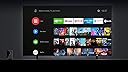
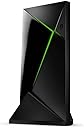
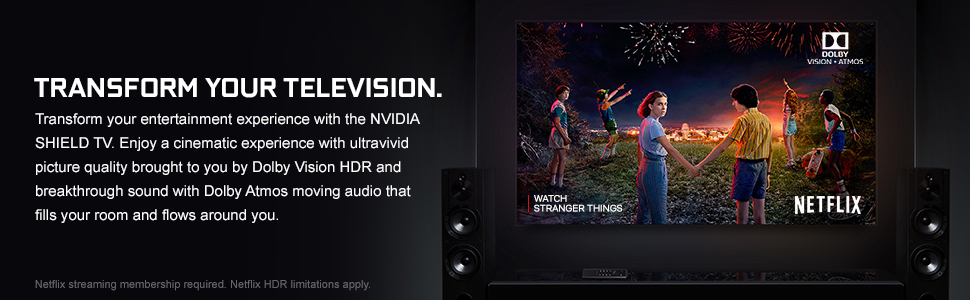
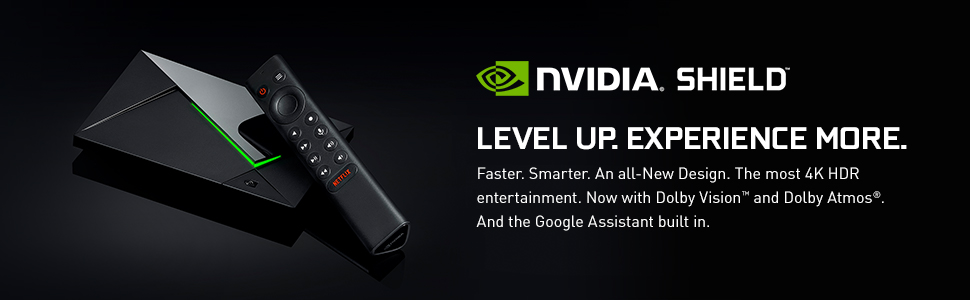
The NVIDIA Shield TV Pro is a premium 4K HDR streaming media player featuring the powerful Tegra X1+ processor for 25% faster performance, Dolby Vision and Atmos for cinematic picture and sound, and AI-driven upscaling that converts HD content to stunning 4K in real-time. Designed for professionals and gamers alike, it offers seamless Google Assistant integration, Chromecast 4K, dual USB 3.0 ports, and access to cloud gaming, making it the ultimate smart entertainment hub.


| ASIN | B07Z6RD4M9 |
| Best Sellers Rank | 625 in Electronics & Photo ( See Top 100 in Electronics & Photo ) 12 in Streaming Clients |
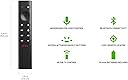
| Box Contents | Remote Control |
| Brand | nVidia |
| Brand Name | nVidia |
| Colour | Black |
| Compatible Devices | Television |
| Connector Type | HDMI, Micro USB |
| Connector type | HDMI , Micro USB |
| Controller Type | Remote Control |
| Customer Reviews | 4.6 out of 5 stars 4,705 Reviews |
| EU Spare Part Availability Duration | 2 Years |
| Form Factor | Compact, standalone design for TV placement |
| Item Dimensions L x W x H | 15.9L x 9.8W x 2.6H centimetres |
| Item Type Name | Media Streamer |
| Item Weight | 8.8 Ounces |
| Manufacturer | NVIDIA |
| Manufacturer Part Number | 945-12897-2505-101 |
| Memory Storage Capacity | 16 GB |
| Model Name | NVIDIA SHIELD TV Pro |
| Model Number | 945-12897-2505-101 |
| Network Connectivity Technology | 802.11ac 2x2 MIMO 2.4 GHz and 5 GHz Wi-Fi, Bluetooth 5.0 + LE, Captive Portal support, Gigabit Ethernet, HDMI 2.0b with HDCP 2.2 and CEC support, Two USB 3.0 Ports (Type A) |
| Other Special Features of the Product | Chromecast |
| RAM Memory Installed | 16 GB |
| Resolution | 4k |
| Special feature | Chromecast |
| Supported Internet Services | Netflix, Hulu, Amazon Prime Video |
| Supported Internet services | Netflix, Hulu, Amazon Prime Video |
| UPC | 812674023045 |
| Unit Count | 1.0 count |
| Video Codec | H.264 or VP9 |
| Video Output Resolution | 3840 x 2160 (4K) |
A**E
Wish I'd bought this in 2019
Well I wish I'd bought one of these years ago. It's quick and responsive but the very best feature for me is the AI 4K upscaling which is incredible and works on far more things than I'd imagined. There's a demo mode for it too in which you can have a split screen to see the difference which is dramatic even on a pretty bog standard 4K TV. I'm not going to go into other features of which there are many and have been covered in numerous other reviews. OK downsides are that it's expensive but you get what you pay for and compared to next best thing the Amazon Cube it's not so much more. It should've come with a stand, I was able to 3D print one and they're readily available cheaply. The remote could've done with a mute button and the Netflix button is unnecessary. But this is nitpicking, it's great and has certainly stood they test of time as being the best.
A**K
BUY THIS!
Having used cheaper Android TV boxes for years, I was at my wits end. The specs supplied for the lower-cost options are misleading. There are multiple issues with the majority of these inferior devices but the two 'biggies' are lack of updates & the fact that the network connections (both ethernet and WiFi) are notoriously slow. I'd actually reached a point where I was contemplating building my own device with a raspberry pi (etc.). I then did some research & discovered the Nvidia Shield Pro! I do realise that at ยฃ189, the Shield is (conservatively) 3-4 times the price of some of the cheaper alternatives, but there is a good reason for this: 'It does exactly what it says on the tin'. The Nvidia Shield Pro is BY FAR the best Android TV box I've ever used & you can trust the specification & performance information provided. The UI is smooth & easy to use, it is clear that Nvidia take great pride in the user experience & I applaud them. This device is a true multimedia centre and is geared towards cloud gaming. I looked at buying the official controller but this was expensive. I therefore purchased an 'MSI FORCE GC300' Wireless controller for ยฃ32.99 (a bargain) & paired it with the shield. For budget-friendly gaming this device is a must & it also converts any UHD TV into a high-end smart TV (Dolby vision & AI upscaling are giving me some of the best picture quality I've ever personally witnessed). To summarise, learn from my mistakes; buy this now instead of a cheap & inferior alternative. If I'd have known how good the Nvidia Shield devices are (back then), I would've! Hope this helps!
C**M
Perfect Stream box for your collection of Media or streaming.
Mighty stream machine. Nvidia are still giving this some minor updates here and there to this day, and this thing is a power house of being able to play almost anything you might have in your Media arsonal. With clean Google UI (although still with some Ads) it's still quick to run the apps you need. Sleak look to it, with a nice Green light (which you can dim) it does an amazing job for running your every media need in Dolby Vision, Atmos, or just plain old HDR. The only drawbacks are the lack of AV1 or EAC-3 Support natively require you to have an additional transcoding or soundbar to do the passthrough/processing for the Audio.
A**Y
Good streamer with great picture and sound quality.
Iโve had this for a long time, and Iโve found it superb. Especially the audio pass through that allows me to hear the original sound quality, DTS MA, Dolby HD etc. Very good picture quality. A bit limited on apps, no CH4 app. Worked well with Apple TV, Amazon Prime, BBC iPlayer & Paramount+. I bought this primarily because it has a Gigabyte Ethernet port, this is useful when streaming 4K Blu-ray as it doesnโt cap the stream that can happen on some other devices. I believe this and Apple TV are the only two devices that have Gigabit Ethernet ports (Base 1000), most others have slower Base 100 ports which is not a problem for most online streams but when streaming raw data from a server with original Blu-ray streams it can cause dropout. Itโs great that it still gets updates.
P**K
PROBABLY AVOID. Was Excellent - has issues. Might be deal-breakers.
Dec 2020 I bought it as a Plex Media Server... Don't make the same mistake I made. (I'll explain why in a moment) It's a quality bit of kit with huge capabilities. Fast, smooth, easy. For watching content, it's excellent and well worth the premium over a generic android box. Now to the elephant in the room... Plex. It comes with Plex Media Server pre-installed. Plex themselves 'support' the Shield. The Shield Pro is sold as a media server (and media viewer and game console.) And hardware-wise the Shield Pro has the guts to be able to transcode all the popular codecs easily. Many would be able to be transcoded several at a time. So here's the rub... It can - but Plex cannot. Nor can Emby. Nor can any of the nascent PVR apps. I had many an hour of debugging why recordings I had in MPEG2 and MPEG4 weren't able to transcode when viewing remotely. Plex forums are full of complaints and requests for the Plex team to fix it. The hardware acceleration won't work with Plex - and nor will it with Emby. There seems to be an issue with ffmpeg (which all these guys use to convert video) in the android world and it's stopping hardware acceleration on these boxes. When I turned off hardware acceleration (nullifying the NVENC part of the Shield's arsenal) transcoding dropped from 6x to 2x speed. But it meant the box lacked any leftover oomph to deal with the rest of its jobs like browsing, watching, gaming. So what's the point of saying it can act as a Plex Server when it cannot. I am one of many who bought for exactly this reason - a low cost, low energy, highly capable graphics unit for dealing with video - and then found out that it wasn't capable and has cost me 50 hours of fighting it to do what I wanted it to. And ultimately losing that fight. As a media player, I'm keeping it. I've had to swap Plex Server duties to an i7 NUC. But I can't be bothered looking for a refund when it is a very good media PLAYER. Hopefully one day Nvidia will be true to their consumers and sort this unit out. Random notes that may help buyers in the future.. - Using a USB stick isn't good. The interface slows right down despite the USB stick's capabilities. Use an external mini ssd (I got a 240gb one for 35 quid) and the thing flies. Overheating on a USB stick is possible too if the stick is compactly designed. Trust me, mine did. - beware of running a USB 3 external drive from it. The unit is very susceptible to electromagnetic interference and USB 3 leads can be leaky. Run the drive away from the shield, not sat under it or on top of it. You can guess how I learned this. Transfer rates plummet. - get a button remapper from the play store and reprogram the Netflix button to do more than one thing. Short press, long press, double press can be reconfigured on all remote buttons. I turned off short press as it kept triggering Netflix when the remote was sat on or dropped. - if you a have a few films and all you are doing is serving them to TVs around the house (ie. Direct play) it is fine. My complaints aren't about that very simple use-case. It cannot transcode for remote play capably and that's my big complaint. Overall, excellent hardware spec with spotty support & let down by what I can only call 'lies' by Plex/Nvidia about its true capabilities. Update - Jan 2021 Not only is it compromised as a Plex Server, NVIDIA have just released a firmware upgrade that has compromised its network functionality. Multiple users complaining about lost WiFi functionality and smb connection issues over ethernet. I fall into the latter category. My Kodi install cannot read from my NAS. My Plex install is unable to play a file from the NAS without stuttering evry 30 seconds and being immune to remote input when playing. This is UNFORGIVEABLE. And a way to downgrade back to a fully functional firmware is not given and homebrew attempts have resulted in bricking so I won't be trying that. I've put my rating down to 1 star. I want to save others the headache of owning this unit. AVOID. Update - Aug 2021 The dodgy firmware upgrade took several reboots and bounces of all my network equipment to right itself. Even now, there are gremlins and it will regularly suffer 'ethernet cable disconnected' when everything is fine. It might be something else but it's only the Shield affected at those times so I'm calling it as an Nvidia issue. I haven't retried the Plex server for video transcoding but I do my music on a separate library via the Shield and it seems fine. No complaints about audio transcoding. I use it every day as my MEDIA PLAYER and I like it a lot. I'm not a fan of the Android 9 recent update that has added lots of unnecessary tiling to the home screen but there are some clumsy workarounds you can employ if they get out of hand. As a media player only, I can recommend. UPDATE - Oct 2025 I'm putting my evaluation all the way back up to 4 out of 5 stars. Why? I've been using it as a media player, streaming app, daily driver for 5 years now and the last 3 years have been just about flawless. Once nvidia stopped messing up the firmware updates. And once I realised it couldn't function as a plex server... I just fell into a groove of using it to consume media daily. And after 5 years, it still plays all formats - hevc was quite novel then and av1 hadn't been used yet it plays both flawlessly for me now. I don't know how much longer its codec library will keep surprising me but until that day comes, I'll happily continue to use it. I occasionally look for a replacement through some new device and as far as I can see, there are no worthy replacements at this time.
F**E
Superb performance
I am extremely happy with my Shield Pro. Compared to my old Firestick 4k max it's streaming quality is second to none. Couple that with it's superb AI upscaling, 16gb of RAM and expandable memory it's very powerful. I installed a seperate launcher as I didn't like the native one. No issues. So far the Shield has performed flawlessly when it comes to streaming my apps. The only app that wasn't available in the playstore for some odd reason was 4Play but I found a link to download and sideload it and it works just fine. I quite like the remote control. The top right bar button can be configured three ways. It feels premium in the hand but like any remote it takes a few days to get used to. The only button I wish wasn't there is the Netflix button. I don't use Netflix but there's no way you can disable it unfortunately. Setup was easy and seemless. It copied my router credentials from my Google account so I didn't even need to enter any password to connect the WiFi. I haven't yet used the Shield for gaming but I'm sure it will also handle that just fine. You will need your own HDMI cable to connect to your TV as this isn't supplied.
Z**S
one if not the best media player around
everythong I expected. quality, fast, andsupports everything. excellent buy.
S**R
Worth the money, despite a few flaws.
Despite the limitations of Android TV, the shield delivers on a basic level on every front, but often excels, so long as you're willing to get a bit techy and geeky. If you're looking for a simple plug and play device, android TV app support may leave you wanting, but if you have the technical and troubleshooting chops to poke around a bit, you will find a really flexible device that will do loads of awesome stuff. I got the shield to serve two purposes. The first and main reason was as an upgrade to the older steam link to stream games from upstairs, and the second was to have one device that can pretty much do everything we need it to media-wise. As a gaming device the Shield will deliver 4k 60fps with 5.1 surround sound from my high-end gaming PC upstairs over an Ethernet cable no problem at all. I use both the Steam Link app and the third party Moonlight app to do this. Geforce now is also pretty nifty, but I only have the free version owing to the input lag of purely cloud gaming making it only really useful for demoing games you have interest in. On the TV side of things. I set up VLC with access to a shared media folder on my PC so that I can stream downloaded content over the local network - which again streams with no problems with surround sound working fine. I know there are more impressive solutions for this like the included plex, but I rarely watch TV or movies and so this simple method suited my needs just fine. My girlfriends main concern was getting the streaming services she uses on the Shield, and this mostly worked fine. All the apps we wanted were easy to grab with the exception of All 4 and SoundCloud which do not have Android TV versions. For most people this wouldn't be a big deal as the shield can be casted to, and so those apps you can just cast the content from your phone. But my girlfriend wanted a more comprehensive solution as she prefers browsing content on the TV instead of locating it on her phone and casting (fair enough). Android TV has its limitations in that not all the apps you would get on android phones will appear in the google play store as they aren't supported (IE, the developers dont care). Fortunately installing apps using .apk files is super easy, (look up side-loading) and you can try your luck downloading the .apk files of android phone apps and installing them to see if they work. I was able to get All 4 working this way (even if the menu is in the wrong aspect ratio, content is fine) and I managed to get soundcloud working using a web-browser app and just pointing it to the website. Web browsing is actually totally workable as the shield supports mouse and keyboard devices, and the ability to side-load apps means I can install SmartTube to replace YouTube (its a youtube app which blocks the ads). The tegra chip inside the Shield also makes it a formidable emulation device and I've tested a PS1 emulator with great success. The only downside here is the on-board storage is only 12gb usable, which is super limited for things like PS1 games. The only other downside is the ads on the main menu. I know there is a solution to switch out the app launcher and thus get rid of the ads, but I have yet to find a solution for this. In short: - It streams games great โ - It's got all of the streaming services we use (with a little bit of techie magic) โ - It can browse the web and handle web streaming services like soundcloud etc if you need it to โ - It supports third party android applications like SmartTube via side-loading โ - It emulates like a pro โ - People can cast to it โ - It streams content over the LAN with ease โ - Extensive blutetooth support for mice, keyboards, and games controllers โ - It's got an awesome remote shaped like a Toblerone โ - The way it can control your TV means you can ditch your TV remote and go all-in with the Toblerone. โ - Small internal storage is problematic for larger game ROM or app collections, and the only way to expand it is via USB memory stick (i would've liked a memory card slot) โ - Ads on the main menu are frankly unacceptable for a device of this price, but this isn't worth knocking off a star and can be overcome, I just haven't figured out how yet. โ
Trustpilot
1 week ago
3 days ago